How To Use MindMyJob
Set up once in about 8 minutes. After that, MindMyJob finds matching jobs and applies for you every day.
Install the Chrome Extension
1 min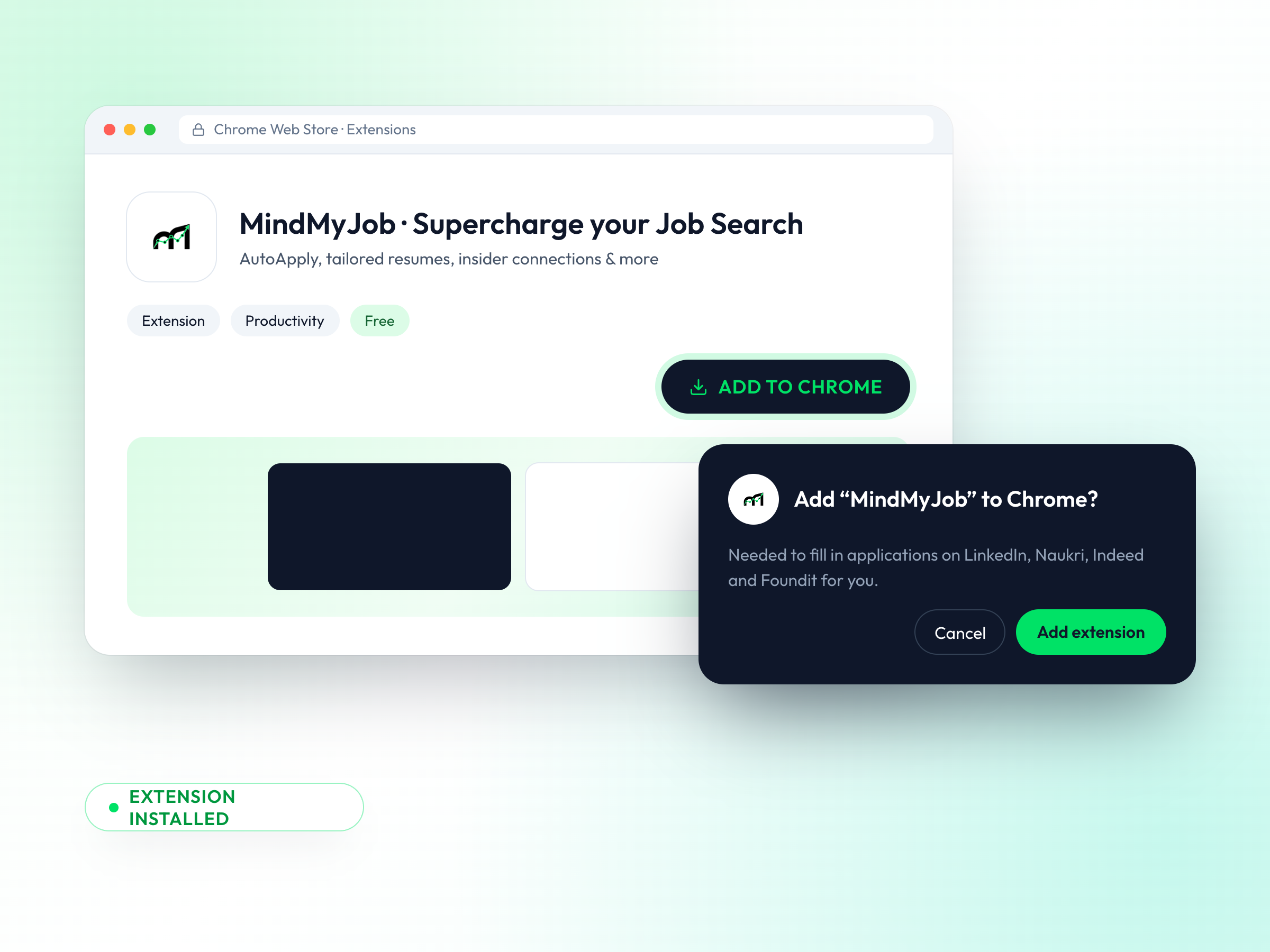
The extension is what fills in and submits applications for you on job portals.
Open the Chrome Web Store
Click Install Chrome Extension on your dashboard, or search MindMyJob in the store.
Add to Chrome
Click Add to Chrome, then Add extension in the pop-up.
Confirm it's installed
A welcome page opens showing Extension installed.
Pin & Connect Your Account
30 sec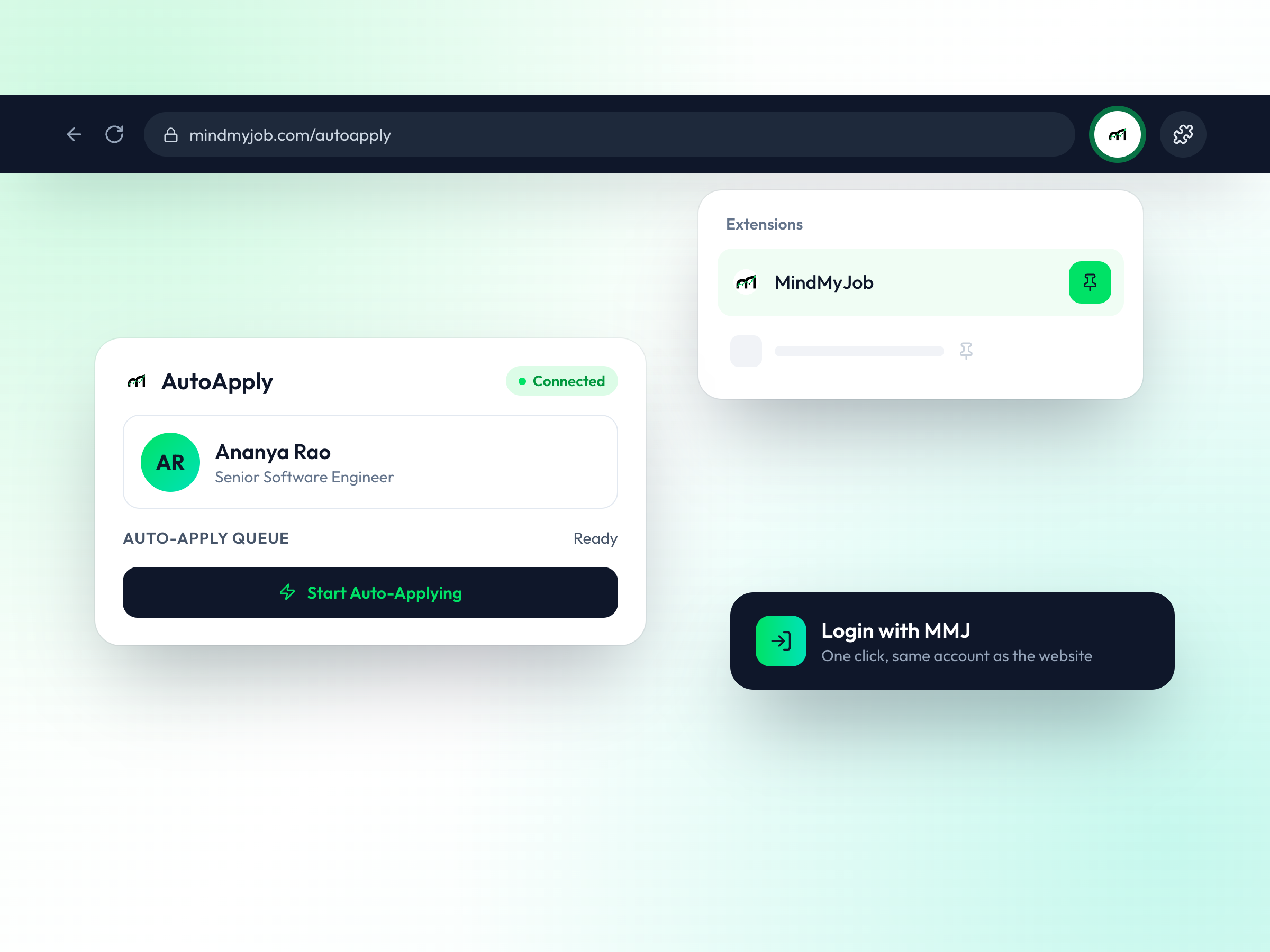
Complete Your Profile
5 min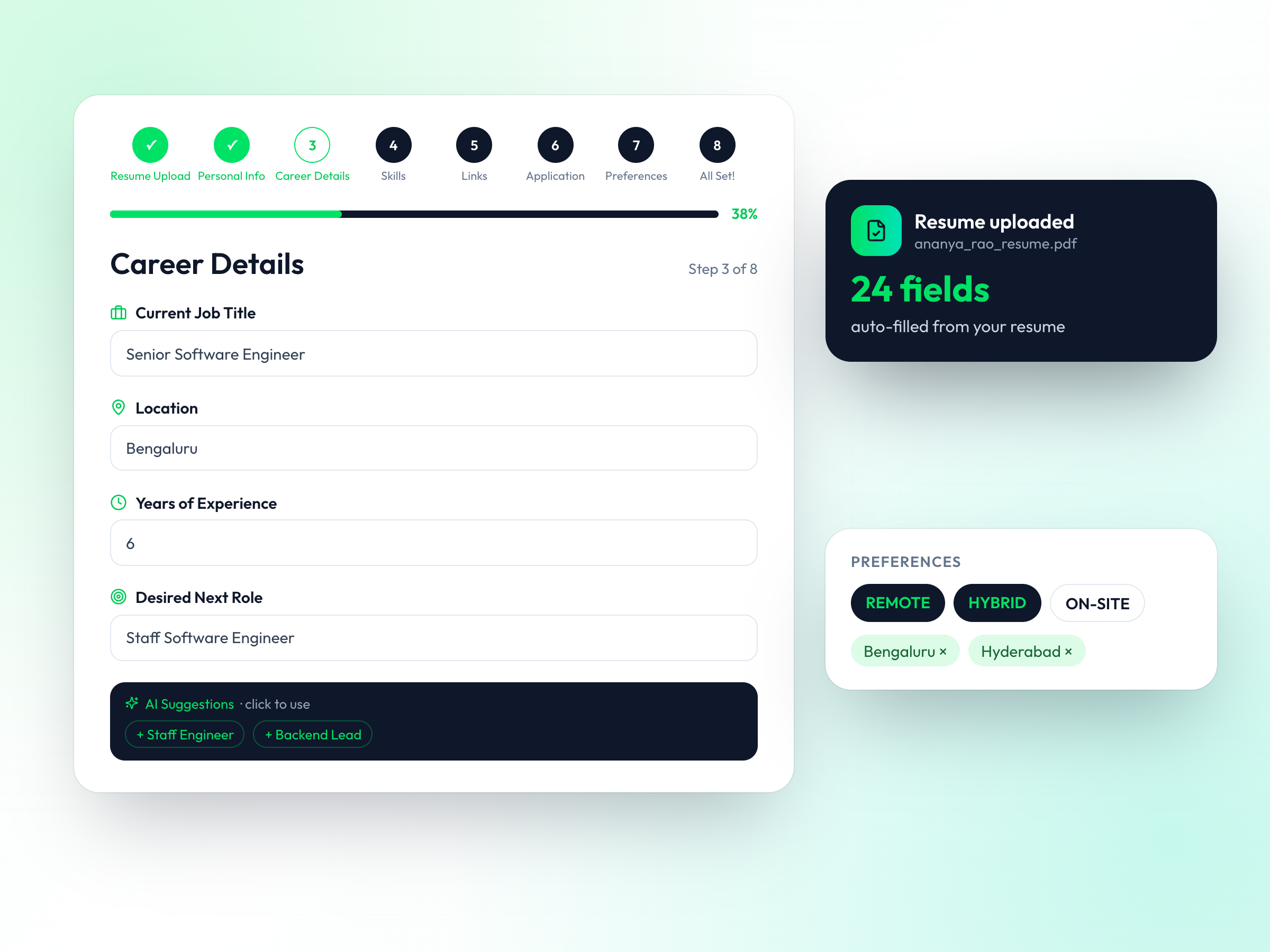
Your profile is used to match jobs, tailor resumes and answer application questions.
Upload your resume
AI reads it and fills in your personal, career and skills details.
Review career details & skills
Check job title, experience, desired role and skills. Use AI suggestions to fill gaps.
Add links & application details
LinkedIn, address, notice period and work authorization are used to fill forms.
Set your preferences
Choose remote, hybrid or on-site and your preferred cities.
Find AI-Matched Jobs
1 min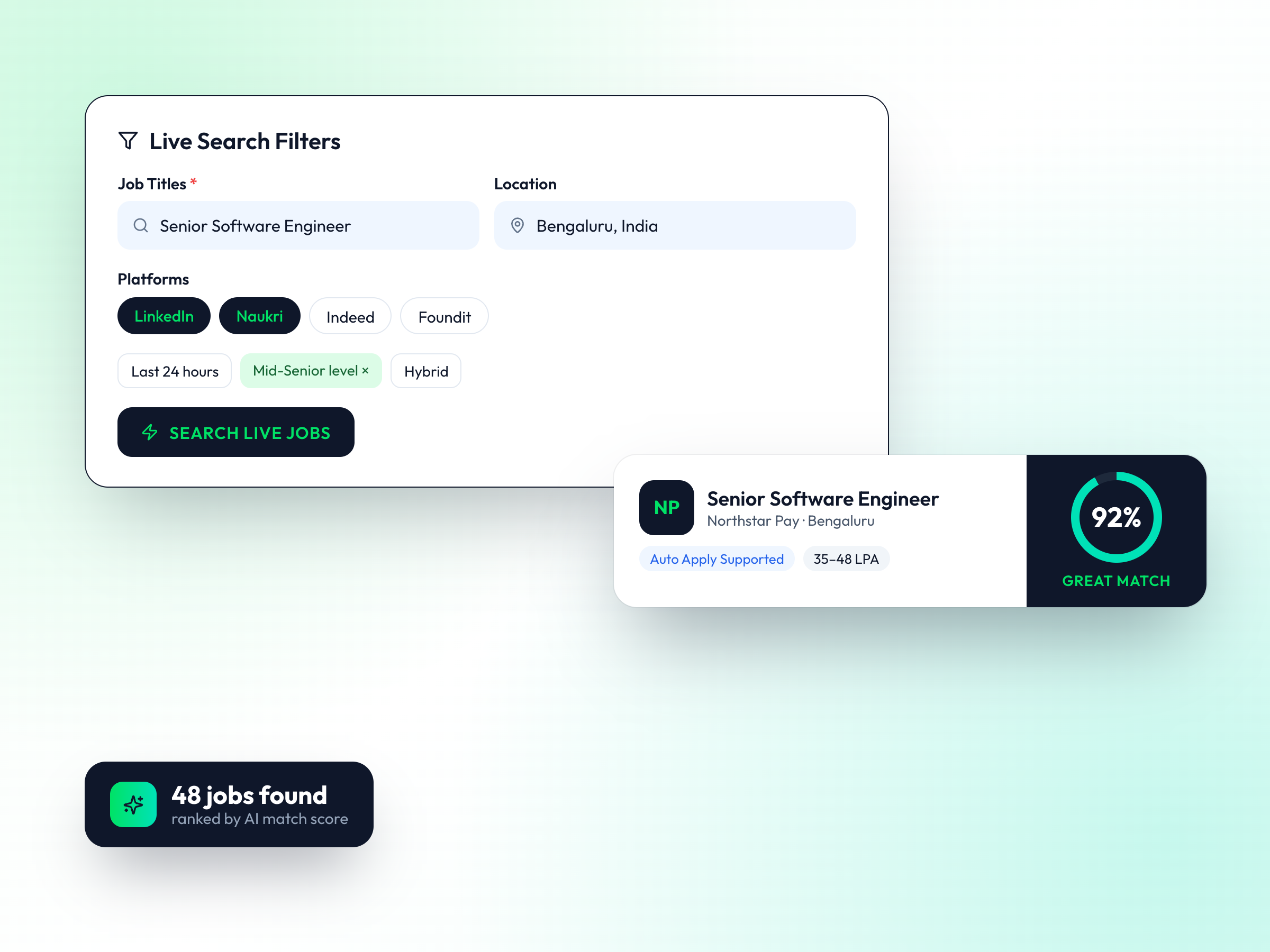
Search live listings across portals, ranked by how well they match your profile.
Open Auto Apply Agent
Go to Auto Apply Agent from the sidebar.
Set Live Search filters
Job title, location, platform, experience level and time posted.
Review match scores
Each job shows an AI match score so you can pick the best fits.
Select Jobs & Start Auto Apply
1 min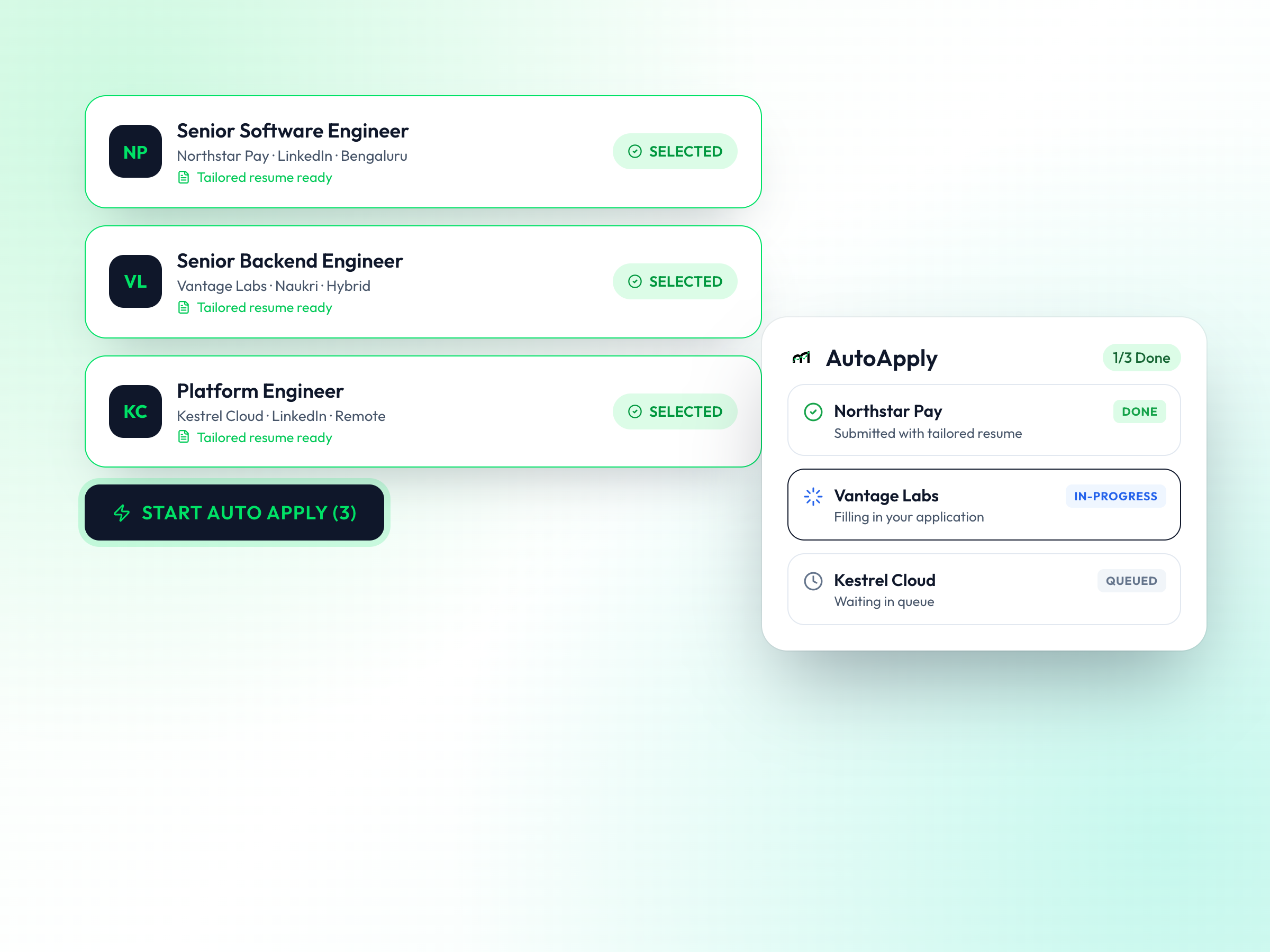
Choose the jobs you want and let the agent apply with a tailored resume for each one.
Select jobs
Tick the jobs you want, or use Auto Apply AI Matches.
Generate tailored resumes
Optional: create a resume tuned to each job description.
Click Start Auto Apply
The extension opens each job and fills in your application.
Track Progress & Land Interviews
Ongoing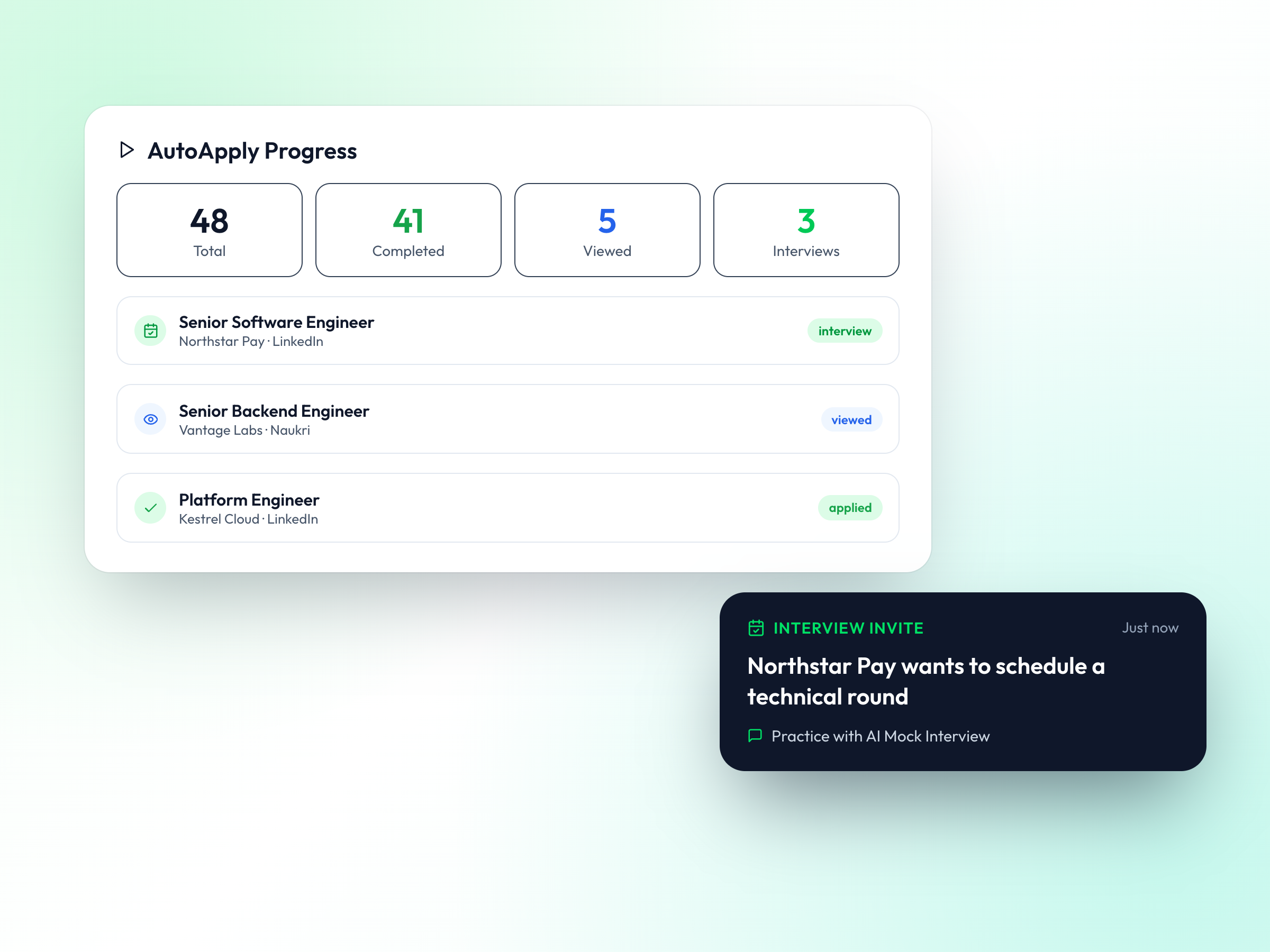
See every application in one place and prepare as responses come in.
Check AutoApply Progress
See completed, in-progress and failed applications in real time.
Track in JobTrack AI
Move applications through applied, viewed and interview stages.
Prepare to win
Use AI Mock Interview and Insider Connections to get referrals and practise.
Ready to Land Your Dream Job?
Join thousands of job seekers who have automated their job search with MindMyJob. Start your free trial today!