EveryApplication.One Pipeline.
JobTracker AI keeps every job you save and apply to on one board, reminds you when to follow up and shows which parts of your search are working. Free, and filled in for you.

Stay on Top of Every Lead.
Dates, priorities and notes that keep good opportunities from going cold.
STAY ON THE RECRUITER'S RADAR
Follow-Ups That Never Slip
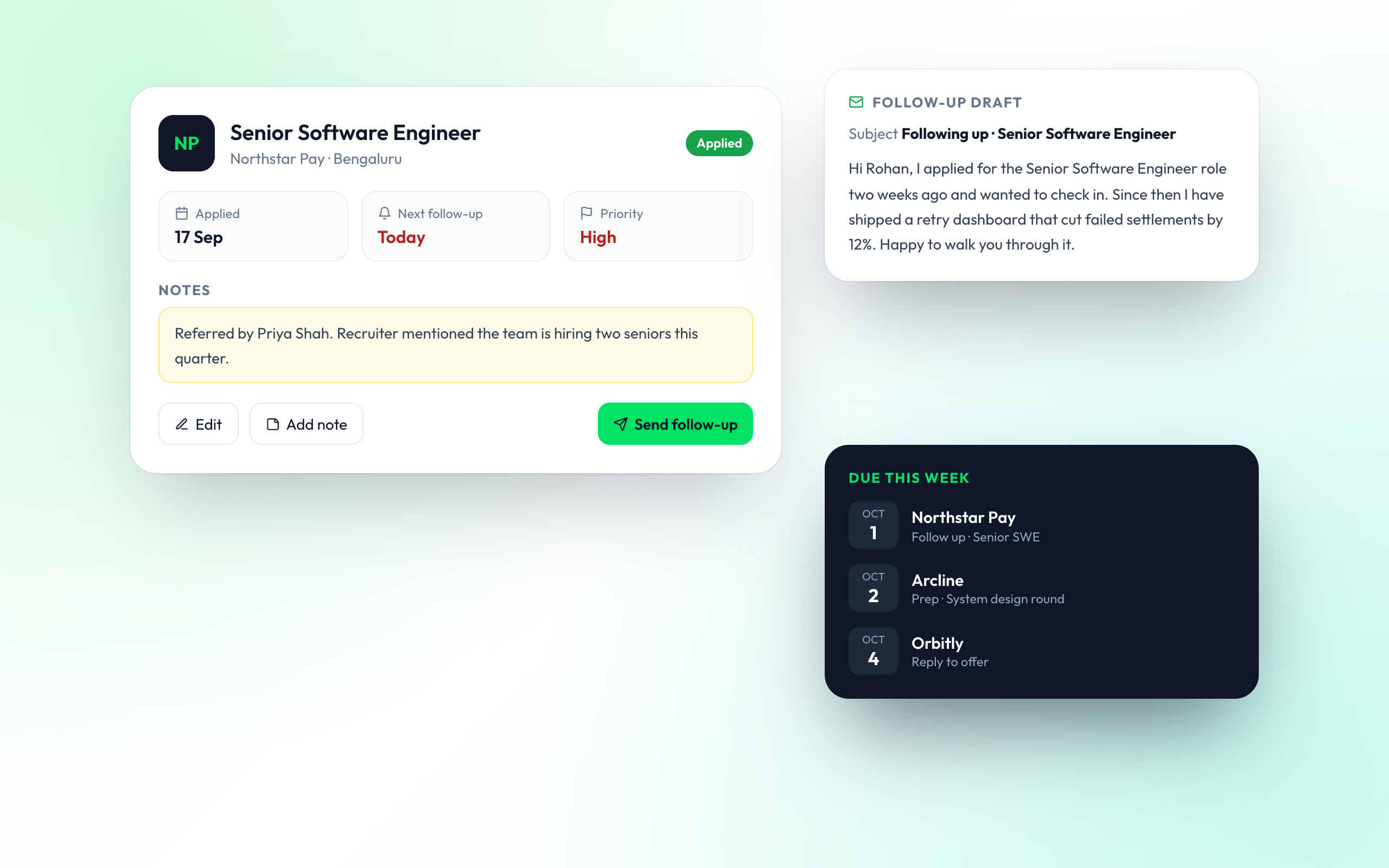
Set a follow-up date and priority on every application. The ones due this week surface on their own, with notes and the details you need to write back.
- Next follow-up date on every card
- High, medium and low priority
Organised Searches Get Offers
From job seekers who replaced their spreadsheets

Meera K.
Marketing Specialist

Arjun M.
Backend Engineer

Ishita N.
UX Designer
Questions About JobTracker AI
How tracking works and what you can see.
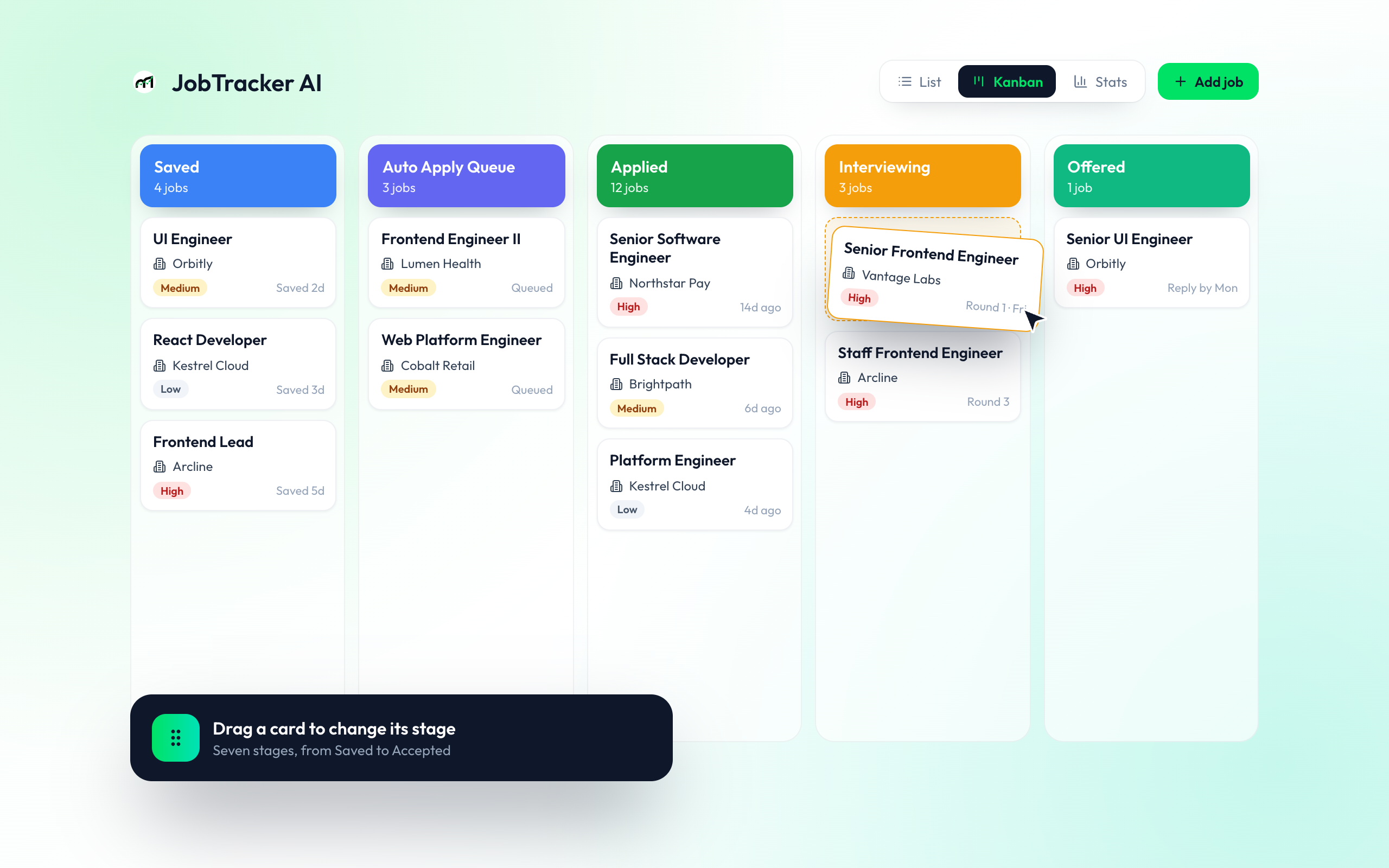
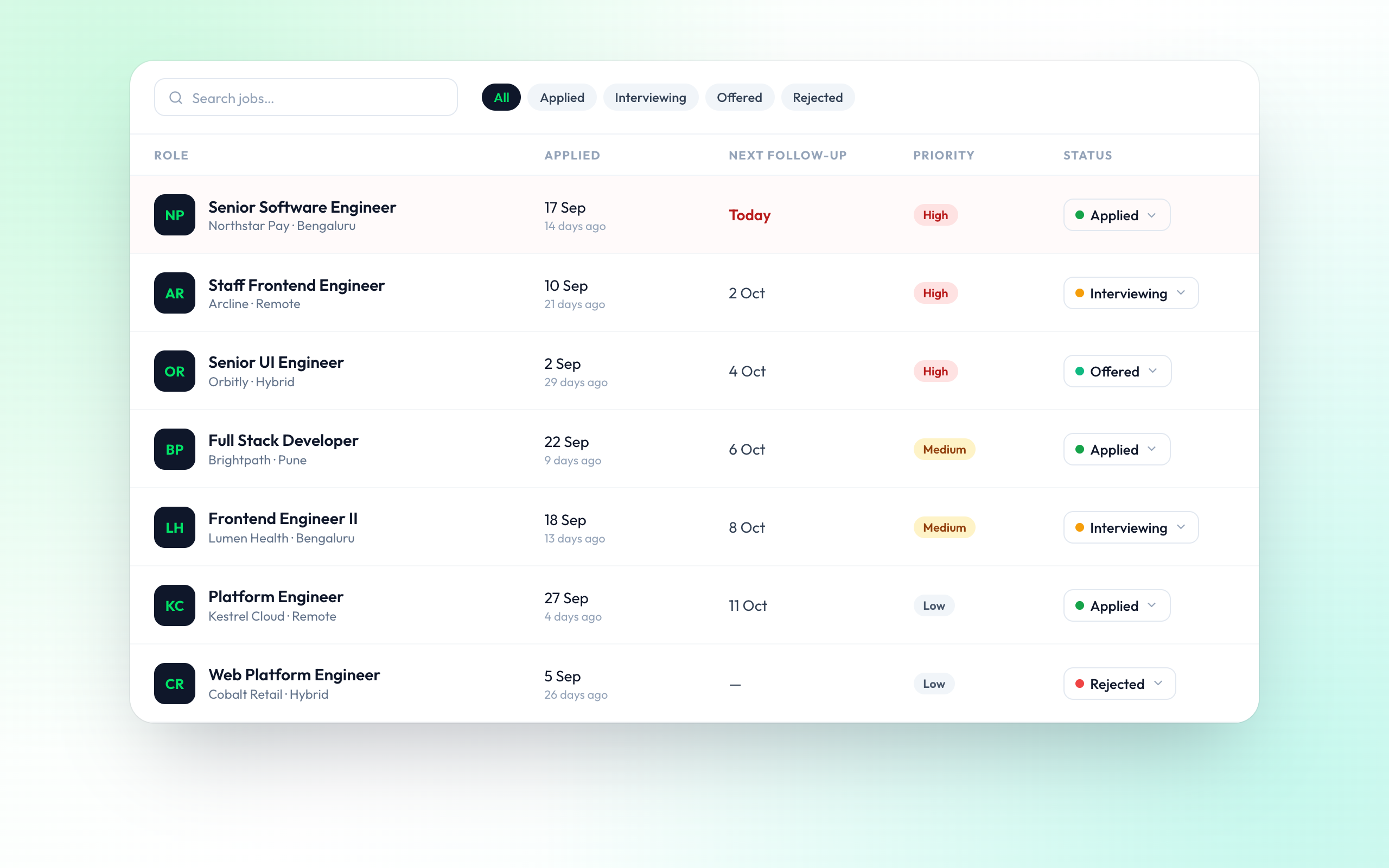
A free tracker for every job you save or apply to. It shows your applications as a Kanban board, a detailed list or a stats dashboard, and suggests what to do next.
Saved, Auto Apply Queue, Applied, Interviewing, Offered, Accepted and Rejected. Drag a card between columns to update its stage.
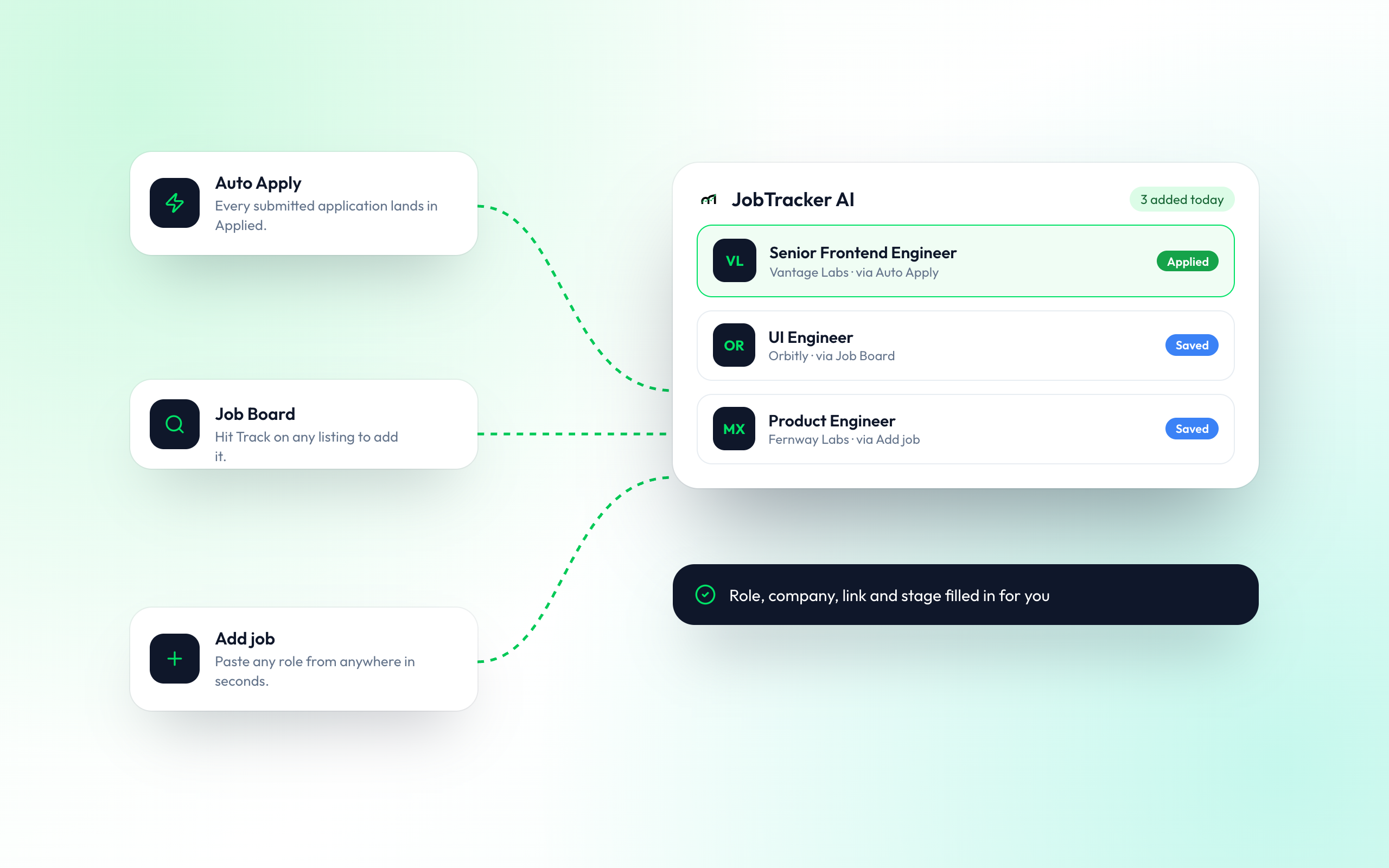
No. Jobs submitted by Auto Apply are added automatically, and you can track any listing from the Job Board in one click. You can also add any job yourself.
Applications that need a follow-up, patterns in where you get responses, and upcoming interviews to prepare for, each with practical tips.
Yes. Each application has a next follow-up date and a priority, and applications that are due appear in your insights.
Response rate, interview rate, offer rate and rejection rate, plus applications per week and a breakdown by status.
Yes. Add notes such as referrals, recruiter names or interview feedback to any card so the details are there when you need them.